The Meat 2014 – Side projects ftw!

I got to go to a thing in Aberdeen that I didn’t organise myself – yay! A charming, exciting, fun and inspiring day out listening to some great speakers talk about enthusiasm.

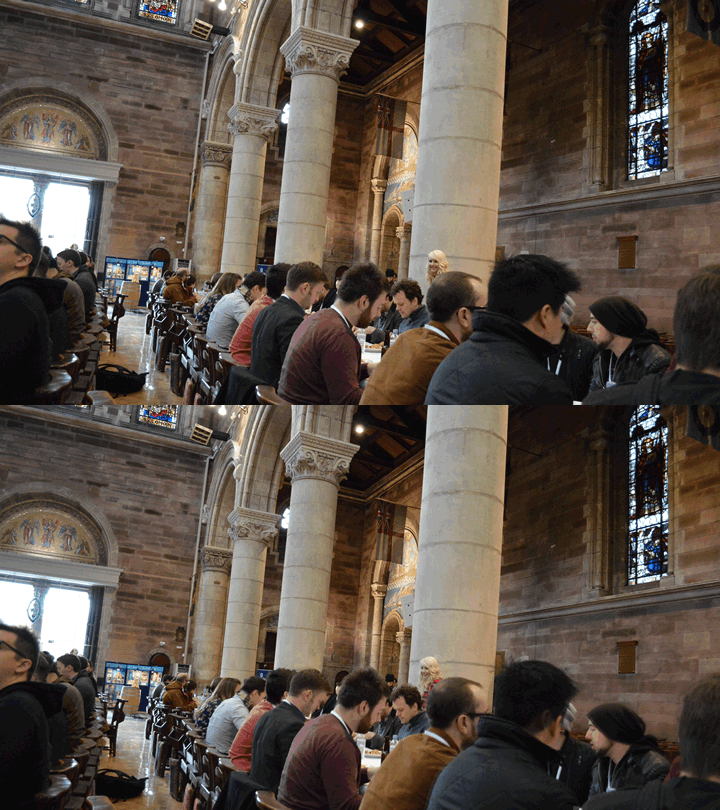
The meat site has speaker details and links, and I covered my thoughts pretty well in my post on the fifthring.com blog – so go read that. To make your visit to this page worthwhile though – here is a massive gif of some of the audience jiggling about!

Meatgoers

Global Service Jam Aberdeen 2014

Most of my weekends I spend in ‘dad’ mode. This is my favourite mode. It involves lego, raspberry pi, picnics, fighting illogical insanity, explaining why batman is a goodie even though he wears black, and enthusing about brilliant but out of reach ideas.

Participants in the 2013 Aberdeen Jam

Running a Service Jam is pretty much the same, but it’s spent with adults instead of 3 and 5 year olds. The main difference is that adults actually have skills. Once they tap into their child like ability to run with ideas those skills really make things fun.

I won’t go into the Jam itself here – I wrote a full post about what happened at the Jam itself on the refresh aberdeen blog.

It really was a great fun, inspirational weekend. There is lots of good stuff about the event at these links:

If you fancy coming along next year your best option is to sign up to the Refresh Aberdeen email list – announcements will likely be on that list first. It’s a 100% free event – we even feed you and provide materials to use – so all you need is some free time. It’s great if you can come for the whole weekend, but even if you can only make it for one day it’s worth coming.

Julia and Kevin larking around

Finally, thank you again to our sponsors for supporting the event. It would be impossible to make this kind of thing happen without the support.

Global Service Jam

Global Service Jam

We’ve just confirmed some more details about this years Global Service Jam in Aberdeen, which you can catch up on at the Aberdeen Jam website. You can book a free ticket from that site. Please only take a ticket if you have the weekend of 7th-9th free to participate.

Last year was the first Jam I’d helped organise, and it was great fun. It was really exciting to see people using relatively simple but powerful service design tools and techniques to take ideas from initial concept to robust prototype over a weekend.

I left last years event with a real sense of urgency to apply this mindset of rapid iteration at work. I can honestly say that we’ve made progress in that direction – thanks in no small part to the GSJ experience.

Seeing these techniques work so well with a mixed group, where most teams hadn’t met each other before that weekend, proved the value of the process.

You can find out more about GSJ at these sites:

Anyone can take part – you just need to have some enthusiasm for design, and a willingness to push forward with ideas to test and improve on them. You don’t need any specific experience or skills to take part – and all activities are team based, with experienced facilitators available to guide you throughout the weekend.

We’ve added a bit more depth and breadth to the facilitation team for 2014, and have some plans to tweak the running order a little to make things more fun.

If you have any questions about GSJ get in touch on twitter – I’ll be happy to give you more info to help you decide whether it’s for you. (hint – it is!).

We’re on the lookout for additional sponsors – so if your company would like to help us bring this great event to Aberdeen do drop me a line.

Some pics from last year.

Participants in the 2013 Aberdeen Jam

Overcoming Blockages

Do one thing wrong, but in the right project

It’s rare that I don’t know which project is the priority at any given time.

It’s not rare that I don’t know exactly which aspect of that project is a priority at any given time. I can find myself flitting from aspect to aspect without actually achieving anything tangible.

Woah. Did you spot the double negative. I used a double negative. That’s wrong. “not rare that I don’t know”. What kind of imbecile writes that. This one. That’s who.

Normally I would rephrase to hide my idiocy. But I leave it in here because by doing that stupid thing, by getting it wrong, I’ve become more actively engaged in this tiny ‘write a blogpost’ project.

I’ll now get it done, ship it, and move that sticky into Done. Moving stickies is addictive, like pringles, once you move a sticky you can’t stop moving stickies. You are suddenly unblocked. Excellent.

Why wrong is right

I think what’s going on here is a little bit of reverse psychology. By making the project worse, instead of better, my brain kicks up a gear and gains some focus. By threatening to break something, you zap your brain out of stupor mode. Brains don’t like things being spoiled.

Also, it’s REALLY easy to do something wrong. You can do something wrong in an instance. Even a double negative in some copy might be enough.

The key word here is ‘doing’. When you do something it’s easy to do something else. It’s moving from doing nothing to doing something that’s hard.

So, do something. Embrace the fact it may well be wrong, safe in the knowledge that future you will be in a better mental state to sort it out.

Build GIFs

2013 was the final Build conference in Belfast. It was fun. Gifs aid memory I believe…

David Cole

David Cole at Build

David spoke of the core importance of design. How it’s not a stage in the creation process. It is the creation process in many ways. A nice essay version of his talk is here.

David is on twitter.

Nicole Fenton

Nicole Fenton at Build

Nicole spoke of the importance of words to user interface / user experience. Something I continue to find a challenge. I’m pretty bad at words. You can read her presentation here.

Nicole is on twitter.

Paul Soulellis

Paul Soulellis at Build

This was tremendous. I really enjoyed the talk from Paul, and have thought of it often in the couple of months since the conference. The way he spoke of his projects, and the directly personal nature of each of them were a good reminder that websites are for people. We really shouldn’t need to be reminded of that, should we? But we do. I do.

I’d encourage you to have a look at Paul’s blog version of the talk if you haven’t seen his work before.

Paul is on twitter and is really worth following on Flickr too.

Leslie Jensen-Inman

Leslie Jensen-Inman at Build

I’ve spoken to a lot of graduates of ‘web’ courses who have relatively few usable skills, so the talk from Leslie about the unicorn institute project rang true. Especially the stuff about participation, project work, and practice being key to development as a UX designer (I’d say web designer, or designer).

Leslie is on twitter.

Jason Scott

Jason Scott at Build

You all know Jason – @textfiles – he’s a legend. Infectiously enthusiastic about the internet we used to have (you know, without Cameron’s filters and NSA snooping and acquihires killing content), and about the responsibilities that come with taking peoples files. He might dress like a scary dark angel – but he’s right. This stuff matters. Go and set yourself up an archive team warrior. I did. It’s painless. Do it now.

Jason is on twitter.

Frank Chimero

Frank Chimero at Build

The likening of the development in user interfaces in plastic and in screens in this talk was just lovely. Just go and read this beautifully presented (of course) version of his talk here. A fitting end to Build.

Frank is on twitter.

Lunch

Lunch happened in the Cathedral. It was quite the setting for a bunch of nerds to consume calories. Enjoyable.

Lunch in a Cathedral at Build

Kickstarter process – sometimes things change a bit

One of the biggest challenges with launching a project on Kickstarter is knowing when to go live with your idea. Ideas change. When you launch your kickstarter campaign you are necessarily only part way through your project. How far should you lock your ideas down before you go live?

Things will change

We all know that ideas evolve. They change over time. The essence of an idea can be preserved, but the detail changes.

In my case a few things changed between launching the Constraints Kickstarter campaign and shipping the final decks. I tweaked the finish of the cards a little. I made the notebooks a little larger, and added a few pages.

One change was a little more significant though. I changed how the box looked and worked. This has actually gone down really well, with some tremendously positive reaction, but a few folk were confused by the change.

I’d like to discuss how I envisaged the box originally, why I made these changes, and talk a little about why I think it’s important that kickstarter provides a place where tweaks are an accepted part of the process.

Not just a tuckbox

So my initial concept for the ‘smartbox’ was to be a step up from a regular ‘tuckbox’. A tuckbox is what you get a regular deck of poker cards in. It’s pretty flimsy, gets bashed quickly, and you wouldn’t want it sitting on your desk.

Functionally I think it’s important that the cards do sit on your desk, so you remember they exist every now and then. Just remembering they exist will remind you of why they exist, and so remind you to think about how you work.

Display stand

Then I had the idea that you could set a card on the box somehow – to have a way to hold the card that’s in play. I mocked this up like this:

Kickstarter mockup

I tested a bunch of other ideas involving flaps, magnets, two-part lids, plastic boxes, even cool rubber bands with #LEVELUP embossed in them… There wasn’t a box in the house that I didn’t attack with a craft knife and tape at some point to test the potential to display a card.

The mockup shown in the kickstarter was my favoured design. It was simple and looked cool with the card held at a jaunty angle.

Production reality

The problem with this design was the slot / notch in the lid that held the card. Manufacturing this while keeping a nice robust finish proved to be really hard.

I was keen to stick with a cardboard / paper construction. The paper over cardboard approach works well for solid shapes, but proved to be a real challenge when we tested it with the slot.

To cover the inside of the slot was very difficult, and caused finish problems on the outside surface. Leaving the slot uncovered just looked untidy and … wrong.

Simplicity

So this was really annoying. I went back to the craft knife, cardboard, tape, etc… and worked on some new options. They all failed the simplicity test until I started playing with the dimensions of the box.

By setting the box on its side, and by turning the printing upside down, I could use the box itself as the stand without it looking daft.

Final Design

This would still be an entirely custom box, because the dimensions were non standard, and the orientation of the box was unusual, but the actual manufacture would be relatively straightforward.

I showed a prototype to a few people, who all thought it was neat and appropriate, so I went with it.

One box

A nice side effect of all this work on the box was that I managed to avoid making the tuck box at all. It turned out to be just a little more expensive to ship all the cards in the final design smartbox than to produce a tuckbox version and a smartbox version.

This gave the basic deck backers a wee bonus, which I really like.

Job done

So my job in delivering the kickstarter was to create the best box I could that satisfied the ‘better than a tuckbox’ and ‘display the card’ requirements. This was more important than delivering exactly what was shown.

The concept I presented in the kickstarter mock ups wasn’t as effective or as robust as the one I shipped, but it was a little more direct and somewhat jauntier in the way it worked. It’s no surprise that a few folk asked “where is my smartbox?”.

That folk were confused bothers me, and I wonder if it could have been avoided.

So would I do anything differently?

Yes, I think I would. Three main things which I think apply to any kickstarter project that has to make a tweak to a design in this way:

Firstly I would have changed the Kickstarter description in the first place. Perhaps I could have said more about the reasons behind decisions and been less specific in discussing detailed aspects of the box that I didn’t need to. I’m pretty sure no one would have thought ‘this is a great idea but the box doesn’t sound like it’s finalised’.

Secondly, I would have blogged about the challenges as I encountered them. I would have canvassed opinion more widely among the backers – found out who really cared about which features of the smartbox – and sought more feedback generally. Validating the ideas as I went along, just being more open about the process would, I think, have benefited both myself and the backers.

It’s worth noting that I do fear that this kind of regular ‘over-sharing’ can annoy people though, some of the projects I’ve backed have posted almost daily updates. Fun at first, but you get a bit overwhelmed in time.

Lastly I’d have added something to the packages to explain the change. I was so excited to get shipping that it didn’t strike me until I’d actually shipped that folk might need to be told how to display the card.

Ensuring that folk aren’t confused is a really big deal, I should have seen that.

Finally

Finally I’d like to really thank everyone who has taken time to give feedback on the various aspects of the project. It’s been great to hear when packages arrive, what you make of the different elements, and how you are using them.

Kickstarter backers are really making a difference by supporting projects like this.

Projects that otherwise would be unlikely to get off the ground.

I really hope that Kickstarter can keep the ‘projects’ feel for as long as possible before it inevitably turns into ‘Amazon for pre-orders’ where even the kind of minor tweaks I had to make would be frowned upon.

WebRetreat Aberdeen 2013

On Saturday 14th of December, to coincise with Global Day of Coderetreat, we’re running our annual Webretreat at the University of Aberdeen.

“What’s the big news this year?” I hear you ask?

Badges – We have badges. And t-shirts, assuming they arrive on time.

I’ve also just packed up a bunch of Constraints decks and logbooks for the webretreaters and coderetreaters to play with on Saturday.

If you haven’t got a ticket yet check for any cancellations at the eventbrite page or hassle @ianisted until he lets you come along.

You can find out more on the Webretreat website, at this post I wrote when we ran the first one last year, and at the webretreat github repo.

Three Card Draw

New Constraints Site

Now that Constraints Cards are (finally) landing on folks desks it’s time to take the wrappers off the new Constraints website and shop.

Constraints Cards and Logbook

On the new site you can play online by simply picking a card from the deck in the footer. You can download a PDF and print a deck at home/work. You can email / tweet / share cards easily. You can buy a deck, or some extra logbooks. You can even discuss the cards, and how you’ve used them on the card by card discussions.

Creative Commons

I’ve released Constraints under a Creative Commons licence. I’ve done this for a few reasons, but mainly because I love CC licences, I think ideas should have room to breath when they reach other peoples brains, and CC licences largely provide that room.

With a couple of restrictions (link to the original and don’t profit from your derivative work) you can do what you please with Constraints now. If you want to translate it into Welsh, make a version using ascii art, replace the words ‘focus on’ with ‘forget about’ on half the cards – please go ahead.

Remix Constraints as you see fit. You can grab the Illustrator friendly PDF here, and find gif versions of the deck and other useful things on github. Don’t forget to show me what you do so I can share it here.

Three Card Draw

Feedback

I’d love some feedback on the site if you have a moment to fire me a note with your thoughts. This is the bare bones of the new site in some ways, but now that the decks are delivered I can think about putting some time into developing some of the other ideas for it.

Under the glaring eye of three cards of course.

Creative Block

We all consider ourselves to be creative, yet we’re all likely to struggle to define what we mean by ’creative’.

For me, it’s having the ability to seek out and consider the widest set of options for solving your current problem.

Many of us, if we’re honest, don’t do this. We have a set of go-to solutions that we always start with. We adapt them to the current problem, sure, but the core approach is the same. It’s Bootstrap syndrome. Breaking away from these start points is hard. They are the on-ramps to the motorways studio
through our mind. They are the path of least resistance, and we’re always in a hurry.

Many of us focus on adding new skills to our armoury in order to extend our options. This gives us more on-ramps. This is clearly necessary, but I don’t think it’s sufficient.

Roadblocks drive creativity

Obeying your work constraints forces you to think creatively by closing those mental motorways.

Some constraints are easy to identify. Time, budget and scheduling constraints are all well understood and feature in your projects already (I hope!). A great idea that takes a month to implement will be dismissed if the budget isn’t there. You loved that first idea but you will find another, more appropriate idea.

There will be other constraints that are just as real that you perhaps don’t commonly identify.

Some will be technological, but most will relate to the user of this project. Perhaps a majority of site users have English as a second language. A third type is the self-imposed constraint. These are my favourite as we are in control of them. Things like ‘no hover states’, ‘one button’, ‘better labels’ or ‘one typeface’ are great examples of these. Adding these to your hack sessions will block those motorways, forcing you into mental side streets you normally avoid.

We all like to be right. Sometimes in the web community we are too keen to be right. We avoid trying different things for fear of the dreaded “LOL, you didn’t use X” tweet from a peer. Don’t let that stop you. Pick up your last project, set aside an hour and take away that ‘correct’ option.

See what you come up with. You never know, it may just be better. If not, blame the constraint and try to identify something you learned.

Then, pick it up again and remove all hover states. Now identify the issues this causes. If no issues arise, you didn’t need those hover states. If the design collapses altogether, maybe you were over reliant on them.

Pick it up again and remove something without ‘breaking’ the core purpose. If you can’t remove anything you either have a perfect design, or you are being too conservative.

See how the constraints of Twitter’s 140-character limit delivered a better experience than many of its competing social media offerings.

Image-sharing social network Instagram only allows square photos. That constraint was more important than all the other technology. The constraint directly impacts the user.

RWD constraints

Responsive web design has a fundamental constraint at its core. That one code base should deliver the site to all devices. It is this constraint rather than media queries that defines RWD. I would argue that it has improved the web as much as the web standards movement did (web standards being, of course, a set of constraints).

It did this by blocking the old motorway and creating a new one.

Working with self-imposed constraints builds your ability to identify project constraints that you may be missing today. It’s this ability to understand and respond to project constraints that has creative benefits in any role.

When working on ideas for your next project, work through a series of self-imposed constraints to investigate more original solutions.

Could this site work and be better with just one button? Could it be the next Instagram with just one button? Try it and see.


Back in the summer I wrote this article for netmag around the topic of constraints. Not the card deck as such, more about the wider aspects of constraints. I don’t think it’s likely to turn up on the netmag site now that it’s been rolled into creativebloq, so here it is in full.

netmag

Northern Lights

This year I’ve helped out with organising and running the Northern Lights conference. For those that don’t know, Northern Lights is a modest tech conference held in Aberdeen each autumn with a simple manifesto – “to inspire geeks of all creeds to improve themselves, and their communities”.

I particularly enjoyed helping make the event look more polished with banners and lanyards carrying some new creative work from Owen at work. It gave everything a more legit feeling, without detracting from the community feel that has always made Northern Lights so great to attend.

Some of the audience getting set for the first talk

I could write up my take on the speakers, but better to point you at an attendee for the unbiased take on events. Tom Ireland @tom_ireland on twitter did a great write up of his experience at the conference.

The best part of the day though, was that I got to catch up with a bunch of folk I haven’t seen in a while. The openspace section of the day gave a great opportunity to talk shop during the sessions, and catch up during the runarounds without feeling time pressured. I suspect openspace is here to stay for Northern Lights – it worked really well – despite most attendees never having taken part in openspace before.

I’ve posted a bunch of photos to the Refresh group on Flickr. I’ll add any other coverage here, and on lanyrd.

We’ve already started planning next years event. The current forerunner for the theme is “context”, but if you came along last week please do chip in your ideas by tweeting @northlightconf.